DO Workbench |
  
|
DO Workbench |
|
The workbench screen is used to populate the records based on Document No, Order number or BL number.
1.Click Voyage Accounting >> Delivery Order in the left navigation pane of the Application homepage. The Delivery Order screen will be displayed.
2.Enter any of the below mentioned search criteria to populate the delivery order.
•Document No.
•Order Number
•BL Number
•Container
•Customer
•Carrier
•Voyage
•Vessel
•Port
•Load port
•Discharge port
•From
•To Date
3.Click the  button. The search results will be loaded in the grid as shown in the image below.
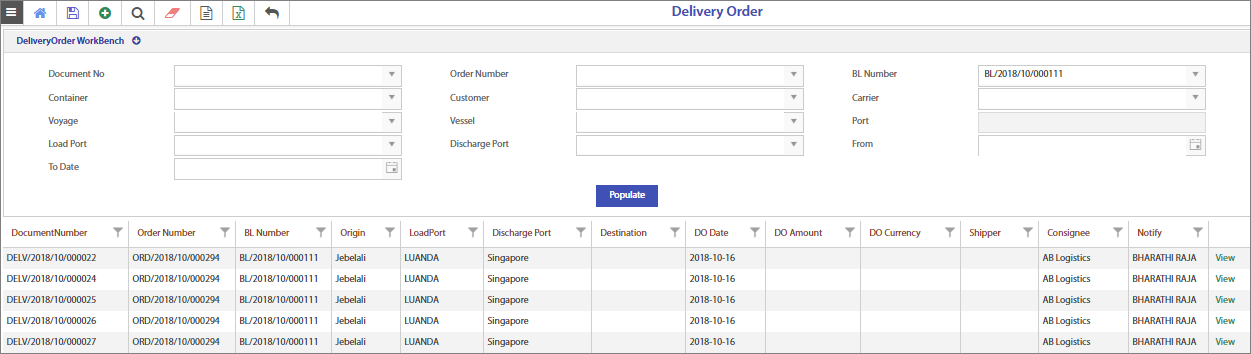
4.Click the  Hyperlink to view the charges.